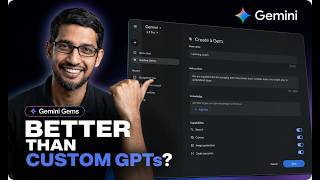
Google Gemini Gems Are WAY More Powerful Than You Think (Full Tutorial)
Try UNLIMITED SeeDance 2.5 on OpenArt: https://openart.ai/home?utm_source=yo... Google is replacing Gemini Gems with Skills, and the transition could remove some of the most useful features that made Gems worth building in the first place. Starting November 17, 2026, Gems on personal Google accounts become read-only. On December 17, they're removed from the Gemini app entirely. Google says existing Gems will automatically convert into Skills, but there's a catch: Deep Research, Canvas, Guided Learning, live Google Drive files, and sharing don't all carry over. So should you still build Gemini Gems? Or should you skip straight to Google's new Skills system? Before that deadline arrives, there's a lot worth understanding about how Gems actually work. A Gemini Gem is more than a saved prompt. It's a reusable AI assistant with permanent instructions, optional knowledge files, and a configurable default tool that can change how your conversations begin. Build one properly, and you can create a dedicated YouTube strategist, research assistant, writing coach, or learning tutor without explaining your requirements every time. But most Gemini Gems tutorials overlook three important details. First, there's a difference between uploading a document and connecting a Google Drive file. One creates a static snapshot. The other can stay updated as your documents change. Second, the default tool setting can launch a Gem directly into Deep Research, Canvas, or Guided Learning instead of a regular Gemini conversation. Third, sharing Gems with your team introduces permissions and privacy considerations that are easy to miss. This tutorial walks through building your first Google Gemini Gem from scratch, writing effective custom instructions, attaching knowledge files, configuring default tools, and sharing your assistant. You'll learn the four-part instruction framework: Persona, Task, Context, and Format. We'll also explore how to test whether your Gem follows instructions, uses attached files correctly, and produces consistently useful results. Then we examine the limitations. Gems don't run autonomously, don't work with Gemini Live, and don't remember previous conversations. Google Drive integration also comes with a Keep Activity requirement, raising important questions about sensitive information and AI privacy. And that's before Google's migration to Skills changes the equation. Google's announced transition introduces reusable Skills that can be invoked with slash commands, combined within a conversation, and potentially applied automatically by Gemini. That's a meaningful shift from opening separate Gems. But according to Google's announced transition details, several Gem capabilities aren't supported in Skills yet, including default tools, sharing, and live Drive integrations. We'll break down the November 17 and December 17 deadlines, the different timelines for Google Workspace and education accounts, which files may not migrate, and why the 100 MB Skills file limit matters. Most importantly, you'll learn how to preserve your Gem instructions and prepare for the transition before December 17. Whether you're building your first Gemini AI assistant, already using custom Gems, or preparing to switch to Google Skills, this guide explains what works, what doesn't, and what you should do next. What repetitive task would you turn into a Gemini Gem or Skill? Share your idea in the comments. Subscribe to BitBiased for practical AI tutorials, Google Gemini updates, AI automation, and analysis of the technology shaping how we work. CHAPTERS 00:00 Google Gemini Gems Are Being Replaced 00:47 What a Gem Actually Is 01:37 OpenArt Shoutout 03:39 Building Your First Gem the Right Way 05:07 Adding Files and Keeping Them Updated 06:29 The Default Tool Setting Most Tutorials Skip 07:30 Sharing a Gem With Your Team 08:07 Where Gemini Gems Fall Short 09:00 Building a Small Team of Gems 10:08 Google Gems to Skills: What's Changing? 12:28 What to Do Before December 17th #GoogleGemini #GeminiGems #GoogleSkills #AITutorial #AIAutomation