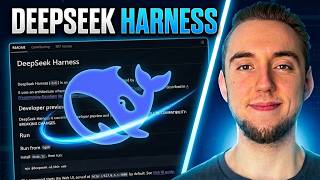
Can DeepSeek Harness Really KILL Claude Code and Codex!? Well here is the truth..
DeepSeek Harness is one of the most customizable AI coding harnesses available right now, but how does it actually compare to Claude Code and Codex? In this video, I break down DeepSeek Harness, PTC mode, plugins, presets, trajectory tracking, installation, and the biggest limitations you should know about. I’ll also show you DSH PRO, my native macOS version of DeepSeek Harness, built to make launching and using the harness much easier. Topics covered: DeepSeek Harness, DeepSeek AI, Claude Code, OpenAI Codex, AI coding agents, PTC, programmatic tool calling, AI coding tools, and agentic coding. #DeepSeek #DeepSeekHarness #ClaudeCode #Codex #AICoding #AITools 🚀 DOWNLOAD DSH PRO — My Native DeepSeek Harness for macOS https://dsh.bytefwd.com/ 0:00 OPENING 1:13 EVERYTHING IS A PLUGIN 2:29 TRACEABILITY AND TRAJECTORY 3:14 THE DEVELOPER PREVIEW WARNING 4:24 CLAUDE CODE AND CODEX 5:26 SETTING IT UP 6:58 THE LOCAL INTERFACE AND DSH PRO 7:30 THE FOUR MODES 9:31 SETTINGS AND MODELS 10:12 API KEYS AND PLUGINS 11:51 USING THE HARNESS 12:15 TRAJECTORY AND SESSION FORKING 13:03 THE BIGGER PICTURE 13:51 DSH PRO 14:21 WHAT I ADDED 14:50 DISPATCH MODE 15:16 INSTALLATION AND ACCOUNTS 15:41 OPENROUTER 16:07 USAGE, WORKSPACES, AND THEMES 16:42 THE EVERYDAY WORKFLOW 17:14 FINAL VERDICT 🧠 Download / Try the ORIGINAL DeepSeek Harness https://www.deepseek.com/harness/en/ 💻 DeepSeek Harness — Official GitHub / Source Code https://github.com/deepseek-ai/deepseek-harness 🟢 Node.js — Required to Run the Original Harness https://nodejs.org/en/download 🔑 DeepSeek API / API Keys & Documentation https://api-docs.deepseek.com/ 🤖 OpenRouter — Use Multiple AI Models https://openrouter.ai/ 🦙 Ollama — Run Local AI Models https://ollama.com/download 🔒 DSH PRO Privacy Policy https://dsh.bytefwd.com/privacy.html ⚠️ DSH PRO Safe Use / Security Information https://dsh.bytefwd.com/safe-use.html 📺 ByteForward — AI, Coding Agents & New AI Tools https://www.youtube.com/channel/UCGGHPOAzUaKsSc2yjsOeAFQ ⚡ QUICK START — ORIGINAL DEEPSEEK HARNESS Install Node.js, open Terminal and run: npx @deepseek-ai/dsh web The official DeepSeek Harness will launch locally in your browser at: http://127.0.0.1:3080 ⚠️ DISCLAIMER DSH PRO is an enhanced desktop client built on DeepSeek Harness. It is not affiliated with, endorsed by, or an official release of DeepSeek or DeepSeek Harness. DeepSeek Harness is MIT licensed. DSH PRO runs locally on your Mac and gives an AI agent access to files and shell commands, so only use it with folders and accounts you trust.