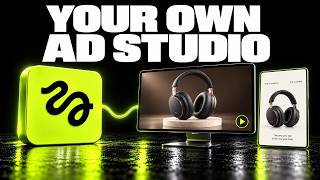
How to Make Cinematic Product Ads With Claude Fable 5.2, Blender & Higgsfield
🔥 Black Friday Sale, get up to 60% off Higgsfield plans 👉 https://higgsfield.ai/s/claude-fable-5-2-yt-bytegrad-kUYLpB (sponsored) A rover rolls across the moon. Then the camera pulls back and you realize the moon is a projection on a bedroom wall. I made that 15-second ad from one photo of ORBIT, a fictional pocket projector. If you want to learn how to make videos with Claude, here’s my workflow. I’ll show you my Claude MCP setup, how I planned three shots with Claude Fable 5.2, and how I tested the camera move in Blender. Then I used Higgsfield MCP to run Seedance 2.5 from the same chat. Higgsfield AI quoted 240 credits for each version. You’ll see why I framed the wide hero video for an AI landing page differently from the vertical ad for Reels. 👉 Work with me: support@bytegrad.com 👉 React & Next.js Course: https://bytegrad.com/courses/professional-react-nextjs 👉 Professional JavaScript Course: https://bytegrad.com/courses/professional-javascript 👉 Professional CSS Course: https://bytegrad.com/courses/professional-css 👉 Web development roadmap & newsletter: https://email.bytegrad.com 👉 Discord: all my courses have a private Discord TIMESTAMPS 00:00 Watch the finished ORBIT projector ad 00:35 Connect Higgsfield to Claude 01:26 Plan the three-shot reveal in Fable 5.2 03:00 Test the camera move in Blender 03:53 Generate the ad with Seedance 2.5 05:23 Compare the wide and vertical ads 07:03 Use the ads on a product page and in Reels 07:39 Higgsfield Black Friday plans and offer #HiggsfieldAI #ClaudeAI #Blender #Seedance25 #AIvideo Note that these videos may contain mistakes. Always verify yourself that your code is safe and does what you want it to do for your specific situation. ByteGrad and any of its affiliated people are not responsible for mistakes in code. This channel and all its content is owned & operated by ByteGrad Sp. z o.o. with Tax ID: PL6762676561 and KRS-number: 0001125554