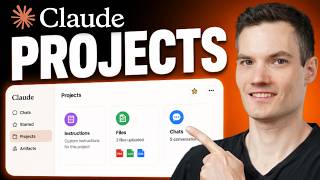
Claude’s AMAZING ‘Custom Instructions’ Feature! (Full Guide)
Master AI through courses and community: https://www.skool.com/ai-foundations Claude's new custom instructions feature is a game-changer! Here is how to use it! 👉🏼Join the BEST Ai Community: https://www.skool.com/ai-foundations/about ---------- Custom Instructions Prompt: Profession/Role: [Describe the profession or role of the chatbot, e.g., Etymologist, Nurse, Historian.] Objective: [Define the primary goal or task of the chatbot, e.g., to trace word origins, provide medical advice, teach history.] Personality Traits (Tone): [List key personality traits, e.g., energetic, compassionate, methodical.] Communication Style: [Describe the style of communication, e.g., formal, casual, etc.] Output Format (Use this special output formatting for each response): [Specific Output Formatting You'd Like] Special Formatting Instructions: [List any specific formatting requirements, e.g., bolding years, using bullet points.] -------------------- 🛒AI Templates, Prompts and Courses for ChatGPT and Midjourney: https://aifoundations.io/shop 📰Subscribe to my newsletter: https://aifoundations.io 🔗Follow me on Linkedin: https://www.linkedin.com/in/drake-surach-823530203/ 🐥Follow me on twitter: https://twitter.com/drake0DTE -------------------- ⌚Chapters: 0:00 - Intro 0:49 - Ai Foundations Community 2:02 - Claude Overview 2:45 - Creating a Project 3:55 - Backend Workspace 4:28 - Intro to Custom Instructions 5:35 - Assigning Roles 6:19 - Creating Your Own Custom Instructions 9:54 - Special Formatting Instructions 12:18 - Inputting Instructions in Claude 13:18 - Prompting Your Instructions 15:05 - Bonus: Claude Prompting Guide 18:33 - The Best Way to Lean AI #claude #anthropic