How to Build an App with Microsoft Copilot (No Coding!)
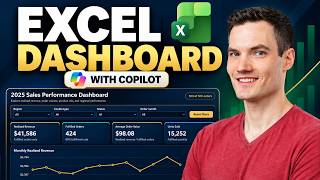
Learn how to build an app with Microsoft Copilot without writing a single line of code. For this video, I used Microsoft Copilot Code in Frontier. In this step-by-step Copilot Code tutorial, we'll turn an Excel spreadsheet into an interactive order management app for the Kevin Cookie Company. You'll learn how to create a sales dashboard, filter customer orders, add and edit orders, and publish and share your app with colleagues. Host: Kevin Stratvert Sponsored by: Microsoft 📚 RESOURCES - Sample Excel spreadsheet: https://1drv.ms/x/c/b09f9559f6a16b6c/IQC5y90Es0rNR7HofEmalGEKAYjrL5QoIp3RFFKPzUbnw98?e=2eVQh6 - Learn more about Microsoft Copilot: https://aka.ms/Kevin_NewCopilotYT Copilot Code availability depends on your organization's access and settings. Some capabilities are still rolling out. PROMPT 1 — BUILD THE APP Create a modern order management app for Kevin Cookie Company using the attached Excel spreadsheet as the starting data. Include a dashboard showing total sales, total orders, pending orders, and best-selling cookies. Add a searchable order table with filters for order status and cookie type. Use a clean, friendly design with warm bakery-inspired colors. Make the charts and filters interactive. For now, focus on displaying and exploring the existing orders. PROMPT 2 — ADD AND EDIT ORDERS Add the ability to create new customer orders and edit existing ones. Include a form where I can enter the customer name, cookie type, quantity, and delivery date. Automatically calculate the order total. I also want to be able to change an order's status, and have the dashboard update to reflect any changes. ⌚ TIMESTAMPS 0:00 - Introduction 0:29 - Get started with Copilot Code 1:27 - Start with an Excel spreadsheet 1:51 - Attach your spreadsheet and prompt 2:11 - Choose where to store app data 2:26 - Explore the generated dashboard 3:40 - Add new features with a follow-up prompt 4:08 - Create and update customer orders 4:45 - View the generated files and code 5:04 - Publish your updated app 5:47 - Share your app 6:08 - Wrap up 📺 RELATED VIDEOS - Playlist with all my videos on Microsoft Copilot: https://www.youtube.com/playlist?list=PLlKpQrBME6xJ4Begw9PA0YbaUe3Nae445 📩 NEWSLETTER - Get the latest high-quality tutorial and tips and tricks videos emailed to your inbox each week: https://newsletter.kevinstratvert.com 🔽 CONNECT WITH ME - Official website: http://www.kevinstratvert.com - LinkedIn: https://www.linkedin.com/in/kevinstratvert/ - Discord: https://bit.ly/KevinStratvertDiscord - Twitter: https://twitter.com/kevstrat - Facebook: https://www.facebook.com/Kevin-Stratvert-101912218227818 - TikTok: https://www.tiktok.com/@kevinstratvert - Instagram: https://www.instagram.com/kevinstratvert/ 🎒 MY COURSES - Go from Excel novice to data analysis ninja in just 2 hours: https://kevinstratvert.thinkific.com/ 🎓 TRAINING Take your skills, or your team’s, to the next level by partnering with us for expert training: https://kevinstratvert.com/training 🙏 REQUEST VIDEOS https://forms.gle/BDrTNUoxheEoMLGt5 🔔 SUBSCRIBE ON YOUTUBE https://www.youtube.com/user/kevlers?sub_confirmation=1 🙌 SUPPORT THE CHANNEL - Hit the THANKS button in any video! - Amazon affiliate link: https://amzn.to/3kCP2yz ⚖ DISCLOSURE Some links are affiliate links. Purchasing through these links gives me a small commission to support videos on this channel. The price to you is the same. #stratvert #MicrosoftCopilot