Gemini Decision 1: A Classification Model for Your Agents
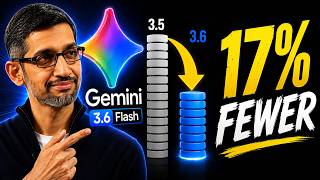
Gemini Decision 1 is Google's new decision model: it answers yes/no, multiple-choice and score questions about text, images, audio, PDFs and video, and returns a probability and a confidence score instead of generating text. In this video I show how the Gemini Decisions API works, how to call it in Python with every input type, where a decision model makes more sense than an LLM, and four mistakes I made while building three apps with it. 🔗 Code (quickstart, notebook and the three apps): https://github.com/PromtEngineer/gemini-decisions-codelab Sources: Google's announcement: https://blog.google/innovation-and-ai/technology/developers-tools/gemini-decisions-api/ Decisions API docs: https://aistudio.google.com/docs/decisions-api Gemini Decision 1 model page: https://aistudio.google.com/docs/models/gemini-decision-1 Related videos: Needle 3: You Don't Need an LLM for Function Calling: https://youtu.be/qbN559fQn7k Build RAG with JEV: https://youtu.be/UhGH8cNG0qs Chapters: 00:00 What Gemini Decision 1 Does 01:43 How Decision Models Differ From LLMs 03:11 Yes/No, Choice and Score Questions 04:36 Best Use Cases for Decision Models 06:14 Cost: Decision Model vs Gemini Flash 07:23 Build With the Gemini Decisions API 09:10 Image, Audio, PDF and Video Inputs 10:59 Add an Other Option to Choice Questions 12:15 Send Only What the Question Needs 14:10 Ask Small Questions in a Browser Agent 16:02 Build a Voice Agent With Audio Input #Gemini #DecisionModels #aiagents Disclosure: I work at Google. This video is based on public information, the code is a personal, unofficial project, and the views are my own.