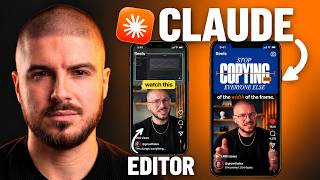
Learn 90% of Claude Video Editing in under 20 Minutes
Claude Opus 5.5 took my raw footage and edited the whole reel. The same edit I used to pay $200 for, now done in a chat. The ONLY Place for High-Quality AI Content Creation: https://higgsfield.ai/s/growwithalex-cZgkzN 💙 Get everything from this video FREE in my Vault (the base prompt, rules, feedback framework) Join my free weekly newsletter: https://growwithalex.beehiiv.com/subscribe You’ll get the Vault link in your welcome email Open this video’s page with the password: [basics] (case sensitive) 🔥 Higgsfield, the tool I connected to Claude in this video: https://higgsfield.ai/s/growwithalex-cZgkzN ⚡ The Carousel Engine, my AI-powered carousel course: https://growwithalex.com/ 🚀 Want my full content system? Editing, carousels, trial reels and lead generation, everything I use to run my business. 10 spots per cohort. Join the waitlist: https://tally.so/r/684pG5 📸 More content on Instagram: https://www.instagram.com/growwithalex Claude Opus 5.5 video editing turns raw talking-head footage into finished Instagram reels. In this video I show you how I use Claude AI to edit a full reel from raw footage: the cuts, captions, color grading, zooms, visuals and hooks, with no editor and no Claude Code. You’ll learn how to write the first prompt that sets up the whole edit, the 5 editing basics Claude needs to know (dead air, the first 2 seconds, text safe zones, pacing and color grading), how to use a beat table and contact sheet to check the edit before it renders, and how to give Claude feedback that actually fixes things. I also show the mistake that made my reel look worse, how I fixed it by adding rules instead of effects, how to ask for multiple hook variations, and how to turn the whole process into a repeatable Claude skill for every reel after this one. If you want to edit your reels and short-form videos with AI and stop paying an editor for every version, this is the full workflow. Timestamps 0:00 - Intro 0:24 - The Proof 1:06 - The First prompt 5:38 - Making your assets 8:15 - The first render (and changes) 9:55 - Mistakes (And how to fix it) 12:12 - Second render 13:17 - Best Practices and common mistakes 15:55 - The final output 18:16 - The Basics 19:01 - The base prompt 20:22 - My complete content system 20:42 - Outro