How I Automate 90% of Content With Codex
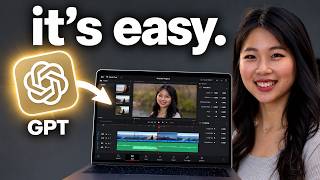
🔗 Join Free LIVE Training: https://go.sleeautomation.com/xdy 🔗 Join Private Community: https://www.skool.com/sandyleeai 🔗 Free Resources: https://sleeautomation.com/resources Here's how I automate 90% of my content creation with Codex, from video ideas to scripts to editing to thumbnails. I started creating content in 2018 and quit more than once because a single video could take 12 to 14 hours. Now I create content alongside a full-time job and three kids, and this is the exact AI workflow that makes that possible. You'll see how to find video ideas using views per hour and outlier scores with VidIQ, how to have AI read hundreds of comments to find what your audience actually asks, and how to plan your title and thumbnail before you film. I also show how I turn scripts into animated HTML slides so editing is basically done while I record, how I connect the OpenArt MCP to Codex for natural-looking b-roll with Seedance 2.5, and how I get realistic thumbnails that match my brand colors and fonts. A 35-minute video now takes me about 5 to 6 minutes to edit. If you want my thumbnail skill or want to go deeper into building a content system that makes money, join the private community above. Drop a comment with the step that takes you the longest right now. Timestamps: 1:44 Finding the Right Idea 3:01 VPH and Outlier Score 5:08 Title and Thumbnail First 7:02 Script in Your Words 9:50 Animated HTML Slides 12:02 Editing With OpenArt MCP 16:30 Realistic AI Thumbnails codex, ai content creation, youtube automation, content creator, ai tools, youtube growth, openai codex, ai video editing