Before You Spend $4,999 On NVIDIA’s AI PC
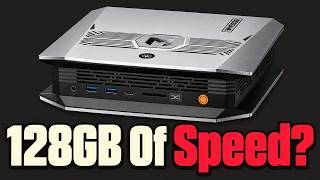
NVIDIA's $4,999 DGX Spark 64GB: Is the platform premium worth it for local AI, or should you keep existing hardware? NVIDIA announced a 64GB DGX Spark starting at $4,999, targeting local AI development and agent workflows before migration to larger infrastructure. But raw memory and peak compute don't establish practical value, your workload has to justify the platform. This video breaks down what you're actually buying: unified memory that must cover OS, runtime, and active session alongside model weights; an Arm-based CPU, so your tools must run natively on Arm or come through NGC containers like vLLM, TensorRT-LLM, and PyTorch; and Sync's SSH tunneling for offloading compute from your laptop. We look at why NVIDIA's "up to 100B" claim depends on context depth, using Framework's published study (different hardware) to show how prompt intake and generation scale differently as session history grows. We assess announced specifications; we did not bench-test the machine. We compare concrete alternatives: Framework Desktop 128GB DIY at $3,449 base (storage separate, out-of-stock 64GB tier) and Mac Studio unified-memory options. We examine whether clustering two 64GB units is a sensible upgrade: two boxes remain separate memory domains even over 200 Gb/s networking, so clustering only pays off when your software can split the work across nodes. The verdict is narrow: keep your current setup unless NVIDIA's software stack solves a validated dependency, your models and context fit comfortably, and verified performance meets your needs. For builders with validated NVIDIA software dependencies and a need for dedicated local execution, it warrants a close look. For casual local chat, it doesn't. Chapters: 0:00 Intro 1:07 Workflow 3:35 Memory 5:54 Waiting 8:26 Alternatives 11:09 Two boxes 13:28 Conclusion Tools & resources mentioned: - NVIDIA DGX Spark: https://www.nvidia.com/en-us/products/workstations/dgx-spark/ - NVIDIA Sync: https://docs.nvidia.com/dgx/dgx-spark/nvidia-sync.html - vLLM: https://docs.vllm.ai/ - TensorRT-LLM: https://nvidia.github.io/TensorRT-LLM/ - Ollama: https://ollama.ai/ - llama.cpp: https://github.com/ggml-org/llama.cpp - Framework Desktop: https://frame.work/products/desktop-diy-amd-aimax300/ - PyTorch: https://pytorch.org/ About The Stack The Stack helps you build with AI. Each video takes one tool, model, or workflow and shows how it works in a few focused minutes, with the real benchmarks and real costs. We go deep on Claude Code and Cursor for AI coding, AI agents and MCP servers, the open-source AI tools and GitHub repos most people miss, RAG and vector search, fine-tuning, and running local LLMs on your own machine with Ollama and LM Studio. We compare models like ChatGPT and Claude, test AI automation with Zapier, Make, and n8n, and flag the tools that actually ship. Subscribe for new breakdowns: https://www.youtube.com/@the-stack-ai?sub_confirmation=1 #localai #dgxspark #aipc