NVIDIA Put 128GB In A Laptop. What's The Catch?
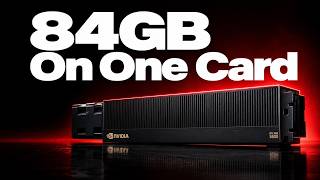
128GB of shared memory and native CUDA in a laptop: what fits, what is still unproven, and when to keep your desktop. NVIDIA's RTX Spark laptops ship with up to 128GB of unified memory and native CUDA, but that memory is shared system memory, not dedicated VRAM, so you don't get all 128GB for model weights. A 70-billion-parameter model at 8-bit precision needs about 70GB before the key-value cache, Windows and runtime overhead, and Ollama documents that a longer context window needs more memory, so your real headroom depends on your exact checkpoint, your context length and the apps you keep open. Sustained speed and battery life are still unverified: Microsoft's battery figures come from its own testing of preproduction units, which does not tell you how long the machine lasts running a local model with the GPU busy. On Windows on Arm, GPU code runs natively through CUDA while x86 host code is emulated, so custom extensions, plugins and Python packages need checking on the actual hardware. The price that matters is the full 128GB configuration, not the starting price. If a desktop you already own runs your local models, the sensible default is to keep it and reach it over your local network or an encrypted tunnel, as long as you have a connection. A 128GB RTX Spark laptop makes sense if you need portable CUDA wherever you work, once your model, battery behavior, software and the full-configuration price check out. Chapters: 0:00 Intro 1:03 Memory 3:38 Daily speed 5:58 Software 8:01 Your setup 10:50 Verdict Tools & resources mentioned: - Ollama: https://docs.ollama.com/context-length - llama.cpp: https://github.com/ggml-org/llama.cpp - CUDA Toolkit 13.4: https://developer.nvidia.com/topics/ai/local-ai/port-apps - PyTorch for Windows on Arm: https://developer.nvidia.com/topics/ai/local-ai/port-apps - NVIDIA Sync: https://docs.nvidia.com/dgx/dgx-spark/nvidia-sync.html - NVIDIA RTX Spark: https://www.nvidia.com/en-us/products/rtx-spark/ About The Stack The Stack helps you build with AI. Each video takes one tool, model, or workflow and shows how it works in a few focused minutes, with the real benchmarks and real costs. We go deep on Claude Code and Cursor for AI coding, AI agents and MCP servers, the open-source AI tools and GitHub repos most people miss, RAG and vector search, fine-tuning, and running local LLMs on your own machine with Ollama and LM Studio. We compare models like ChatGPT and Claude, test AI automation with Zapier, Make, and n8n, and flag the tools that actually ship. Subscribe for new breakdowns: https://www.youtube.com/@the-stack-ai?sub_confirmation=1 #local-ai #cuda #llm #rtx-spark #ai-hardware