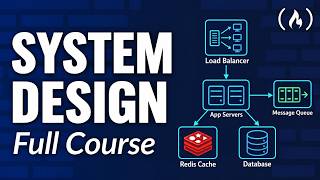
I Gave Codex a 24/7 Server. Now It Codes While I Sleep.
Deploy your Codex server using Hostinger and use code 'techwithtim' for an additional 10% off: https://www.hostg.xyz/SHJd8 No more walking around with your laptop half-open waiting for an agent to finish. In this video I show you how to run Codex CLI 24/7 on a virtual private server — so your coding agent keeps working even when your laptop is closed, your Wi-Fi drops, or you're asleep. Want to make real money with coding? I share high-signal insights on careers, monetization, and leverage in my free newsletter. Join here and get my guide How to Make Money With Coding instantly: https://techwithtim.net/newsletter 🚀 Tools I Use Get 10% off with code techwithtim Openclaw setup: https://www.hostinger.com/techwithtim VPS setup: https://www.hostinger.com/techwithtim10 Wispr Flow (Best AI Dictation): https://ref.wisprflow.ai/TechWithTim-jun26 🎞 Video Resources 🎞 Hostinger Link: https://www.hostg.xyz/SHJd8 Codex CLI Docs: https://developers.openai.com/codex/cli ⏳ Timestamps ⏳ 00:00 | Overview 00:40 | What You'll Learn 01:43 | Why This Matters 02:45 | VPS Architecture 04:04 | VPS Setup 06:00 | Connecting to Our Server 07:15 | Installing Codex CLI 09:20 | Connecting GitHub 13:21 | tmux Setup 16:09 | Triggering from Our Phone 20:24 | Setting up Automations Hashtags #Codex #AIAgents #VPS UAE Media License Number: 3635141